Your Personal Conference Planner For smart phones and AAC devices
Download the CM Conference App today and start preparing for your best AAC conference experience yet.
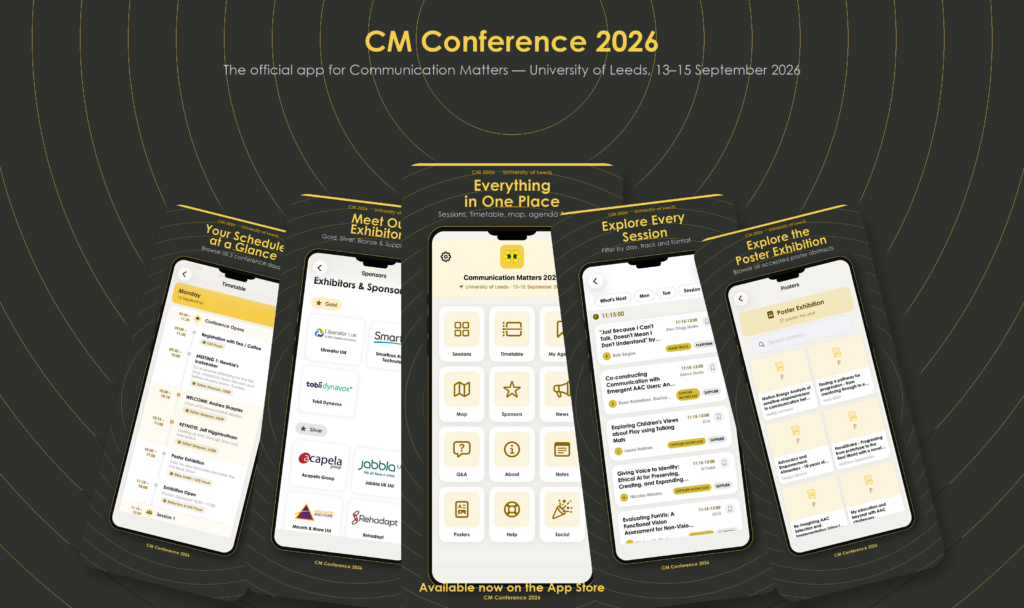
Filter sessions by day or topic
Every detail, one tap away
See the full day at a glance
Build your personal agenda
How to choose your CM Conference App
The CM Conference App is available in a range of formats so that as many delegates as possible can plan and create their personal CM Conference schedule.
Choose your preferred format from the links below:
For IPhone
Accessible App For AAC and Android users
For Jabbla UK Devices
Find Jabbla’s Mind Express 5 pageset for the Communication Matters Conference 2026 at https://mindexpress.jabbla.com/en/download/communication-matters-2026/
For Liberator Devices
If you are attending the Communication Matter Conference and using a Liberator device:
Here are pages that can be installed into your NuVoice vocabulary on Accent. These pages are designed to allow you to view, navigate and control the online Conference Program.
Communication Matters – Liberator | Liberator Ltd
If you have any questions please visit the Liberator stand and we’d be delighted to help.
For Smartbox Devices
AAC Users using Grid 3 can access the Conference App via a bespoke grid set available from Online Grids.
The Communication Matters grid set enables users to sign in and navigate the Communication Matters web app, including browsing links and accessing page shortcuts, supporting you to build your own agenda.
Download here or via the ‘add grid set’ menu in Grid 3 – Communication Matters 2026 – Online Grids
If you need any help setting this up please reach out to [email protected]
For Tobii Dynavox Devices
AAC users using an I-Series, can access the app via TD Browse. Here is an instructional video on TD Browse: https://tobiidynavox-2.wistia.com/medias/l82t844uvr
TD Pilot and TD Navio users can access the Web App on their device.
Here is a document with instructions for setting Assistive Touch with eye gaze to access apps on the TD Pilot:https://download.mytobiidynavox.com/Talk/Documentation/TDTalk_AssistiveTouch_TrainingCards_en-US_13000585.pdf
Need Help?
Jessica MacRae, Trustee, will be available during the CM Conference to provide support or answer questions about the App.
The App was developed by Jake Rourke, AAC Product Specialist at Jabbla.